OpenAI API Proxy: What It Does, How to Switch Your Client, and What to Verify

What an OpenAI API proxy actually is
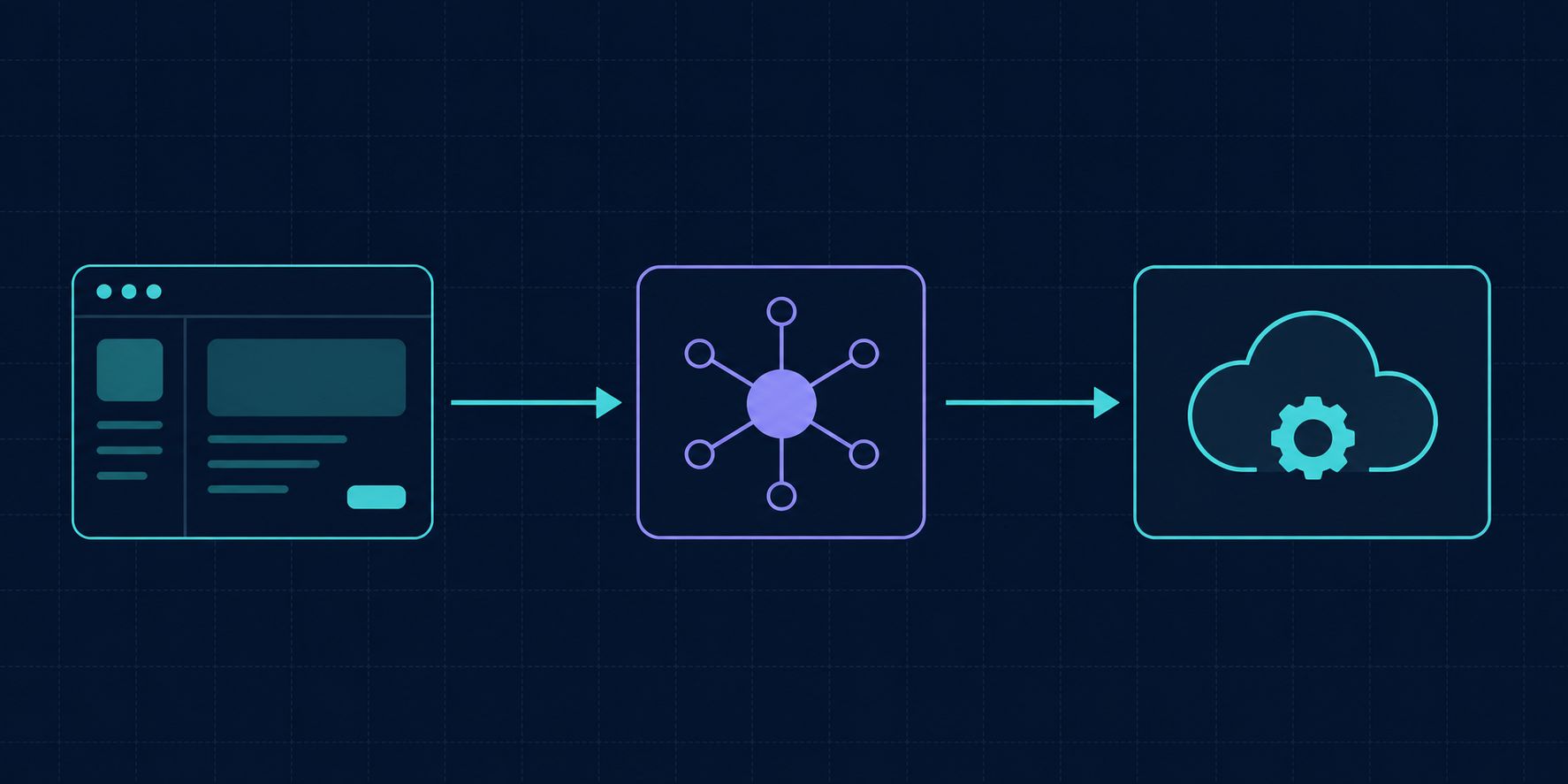
An OpenAI API proxy is a service that sits between your application and the model provider. Your code keeps speaking the OpenAI protocol — same endpoints, same request bodies, same SDKs — but the requests travel to a host you point at instead of api.openai.com. That host forwards them onward, and returns the response in the shape your client already expects.
The important consequence is that a proxy is not a new API to learn. If your application already works against the OpenAI SDK, adopting a proxy is a configuration change, not a rewrite. Everything else a proxy offers — key handling, routing, usage records — is built on top of that one property.
Why teams put a proxy in front of the API
Four reasons account for most deployments.
Network reachability. Teams in regions where the provider endpoint is slow or unreachable use a proxy hosted somewhere with a clean path to the upstream API. The application code does not change; only the base URL does.
Key custody. Without a proxy, every service, notebook, and CI job that calls the model needs a provider key. A proxy lets you issue per-service credentials that you can rotate or revoke individually, while the upstream provider key stays in one place.
Spend and usage visibility. Provider dashboards report per-account or per-project totals. A proxy sits at the exact point where every call passes, so it can attribute tokens to a service, a customer, or a feature — the granularity most teams actually want when a bill moves.
Multi-model access through one protocol. Because the OpenAI request shape has become a de facto standard, a proxy can accept OpenAI-format requests and route them to different model families behind the scenes. Your client keeps one integration. See What Is an OpenAI-Compatible API? for how that compatibility layer works.
Proxy, gateway, or SDK router?
These three overlap enough that vendors use the words interchangeably, but the distinction is useful when you are deciding what to run.
A proxy is the narrow case: forward the request, return the response, add little. A gateway is a proxy plus policy — rate limits, retries, fallback chains, caching, per-team quotas. An SDK router does the same selection logic inside your application process, with no extra network hop and no shared state between instances.
If you need one team's runaway job to not exhaust another team's quota, you need shared state, which means a proxy or gateway rather than a router. If you only need failover between two models in one service, a router in-process is simpler. LLM API Gateway: What It Does, When You Need One covers the policy layer in more depth.
The switch is one setting
Every official OpenAI SDK exposes a base URL override. That is the entire migration.
Python:
from openai import OpenAI

client = OpenAI(
    api_key="YOUR_PROXY_KEY",
    base_url="https://your-proxy.example.com/v1",
)
Node:
import OpenAI from "openai";

const client = new OpenAI({
  apiKey: process.env.PROXY_KEY,
  baseURL: "https://your-proxy.example.com/v1",
});
curl:
curl https://your-proxy.example.com/v1/chat/completions \
  -H "Authorization: Bearer $PROXY_KEY" \
  -H "Content-Type: application/json" \
  -d '{"model":"gpt-4o-mini","messages":[{"role":"user","content":"ping"}]}'
Two details cause most of the friction. First, the /v1 suffix: some proxies expect it in the base URL and some append it themselves, so a doubled /v1/v1/ path is the single most common first-call failure. Second, tools that read OPENAI_BASE_URL or OPENAI_API_BASE from the environment — many CLI utilities and agent frameworks do — can be redirected without touching code at all.
Self-hosted or hosted
Open-source proxies you run yourself give you full control of the data path and no third party in the request. The cost is operational: you own the uptime, the TLS certificates, the scaling, and the egress path to the upstream provider. If the reason you wanted a proxy was network reachability, self-hosting only helps if the host you deploy to has the reachability your users lack.
A hosted proxy removes that operational work and usually adds usage records and per-key controls out of the box. The trade is that your traffic passes through someone else's infrastructure, which makes their data handling policy part of your own compliance surface — worth reading before you route production traffic.
Neither answer is universally right. Teams with a platform group and existing observability usually self-host; small teams shipping a product usually do not.
What to verify before you route production traffic
A proxy that returns a correct answer to a simple prompt can still fail in ways that surface weeks later. Check these five:
- Streaming. Server-sent events must arrive incrementally, not buffered and released at the end. Buffering passes a naive test and ruins perceived latency in a chat UI.
- Tool and function calling. Confirm that tool definitions survive the round trip and that
tool_callscome back structured, not flattened into text. - Usage accounting. Check that the
usageobject carries real prompt and completion token counts. Some proxies return zeros, which silently breaks any cost attribution you build on top. - Error transparency. Upstream rate limits and content refusals should reach you as the original status codes, not collapsed into a generic 500. You cannot write correct retry logic against a proxy that hides 429s.
- Added latency and region. Measure time-to-first-token against the upstream API directly. A hop adds some latency by definition; what matters is whether the added milliseconds are tens or hundreds.
Verifying in three calls
# 1. Does it answer at all, and is usage populated?
curl -s $BASE/v1/chat/completions -H "Authorization: Bearer $KEY" \
  -H "Content-Type: application/json" \
  -d '{"model":"gpt-4o-mini","messages":[{"role":"user","content":"say ok"}]}' \
  | python3 -c "import json,sys; d=json.load(sys.stdin); print(d['choices'][0]['message']['content'], d.get('usage'))"

# 2. Does streaming actually stream? Watch whether chunks trickle or land at once.
curl -N -s $BASE/v1/chat/completions -H "Authorization: Bearer $KEY" \
  -H "Content-Type: application/json" \
  -d '{"model":"gpt-4o-mini","stream":true,"messages":[{"role":"user","content":"count to twenty"}]}'

# 3. Does a bad key return 401 rather than 500?
curl -s -o /dev/null -w "%{http_code}\n" $BASE/v1/models -H "Authorization: Bearer definitely-wrong"
If all three behave, the integration is sound enough to route a real workload at it. If the third returns 500, treat every other error code the proxy gives you as unreliable.
Frequently asked questions
Is an OpenAI API proxy the same as a VPN? No. A VPN moves your whole machine's traffic; a proxy handles one API protocol and can also add key management, routing, and usage records that a VPN has no concept of.
Will my existing OpenAI client work unchanged? If the proxy implements the OpenAI protocol properly, yes — you change the base URL and the key. Verify streaming and tool calling specifically, since those are where partial implementations break.
Do I still need my own provider key? With a self-hosted proxy, yes: it forwards using your key. With a hosted proxy, usually not — you authenticate to the proxy, and it holds the upstream credentials.
How do I keep costs attributable? Issue a separate proxy key per service or environment and confirm the usage object is populated. Attribution built on empty token counts is guesswork. Claude API Pricing in 2026 walks through what actually drives a model bill.
What breaks most often after switching? A doubled /v1 in the path, a stale OPENAI_BASE_URL in some environment you forgot about, and buffered streaming. Those three account for most first-week issues.
ROIBest AI provides an OpenAI-compatible endpoint for teams that want to keep their existing client code and switch models by changing the base URL. Documentation and the model list are available at ai.roibest.com.